See eFarmWorks in action — from day one to every day.
Start with how a farm is set up, then follow a working day. Pick a step to look closer.
eFarmWorks in two minutes — real screens, names blurred.
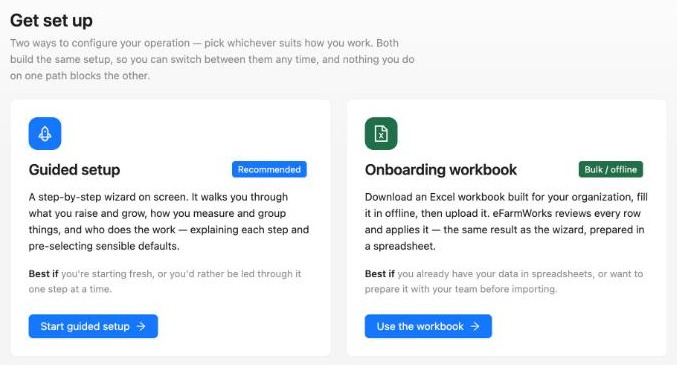
Set up the way that suits you.
Guided setup
A step-by-step wizard on screen. It explains each step and pre-selects sensible defaults — best if you're starting fresh.
Excel onboarding workbook
Download a workbook built for your organization, fill it in with your team, then upload it. eFarmWorks checks every row before applying it — best if your records are already in spreadsheets.
Both build the same setup, so you can switch between them at any time.
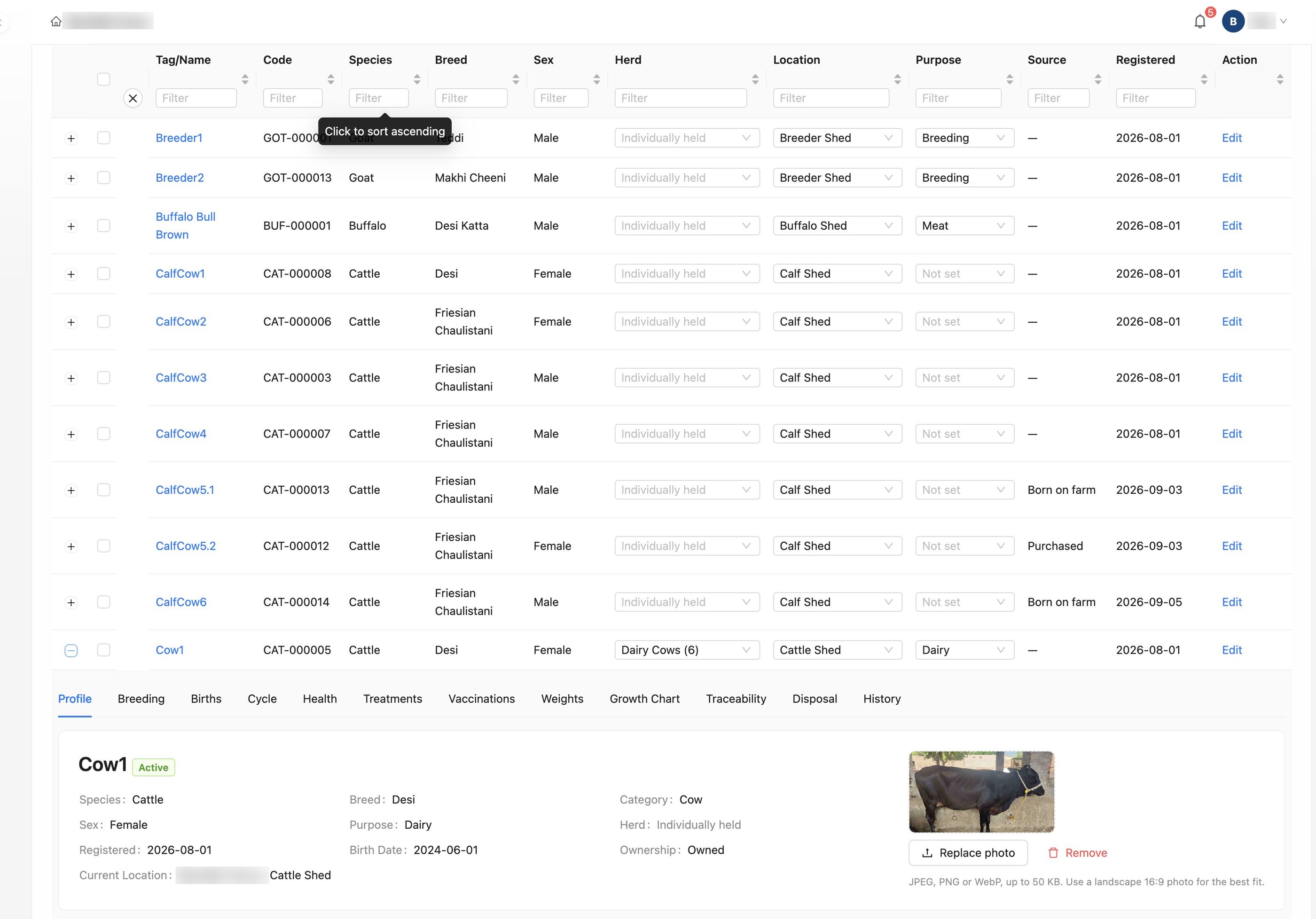
From what you raise to your first animals.
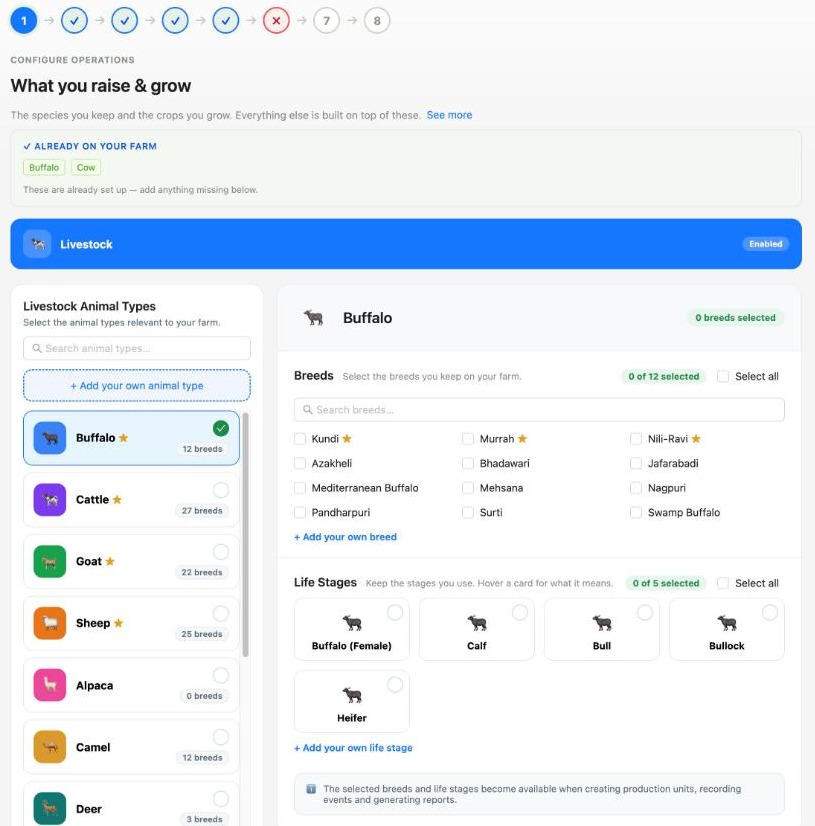
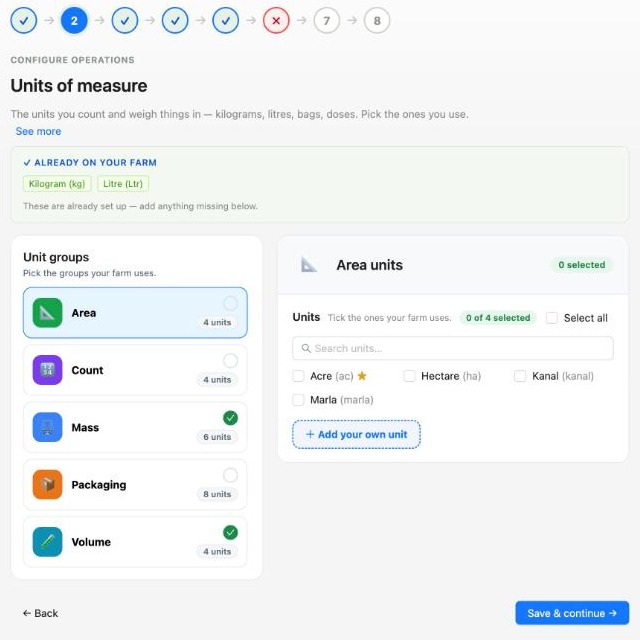
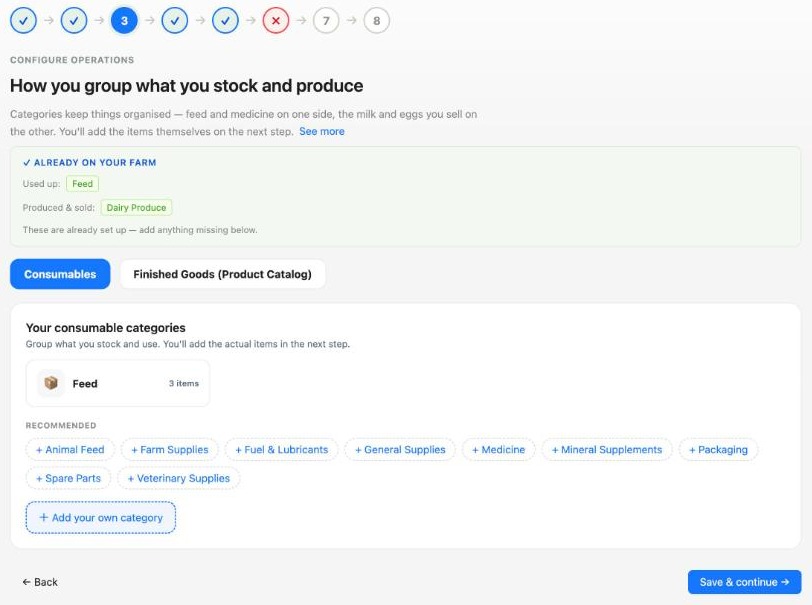
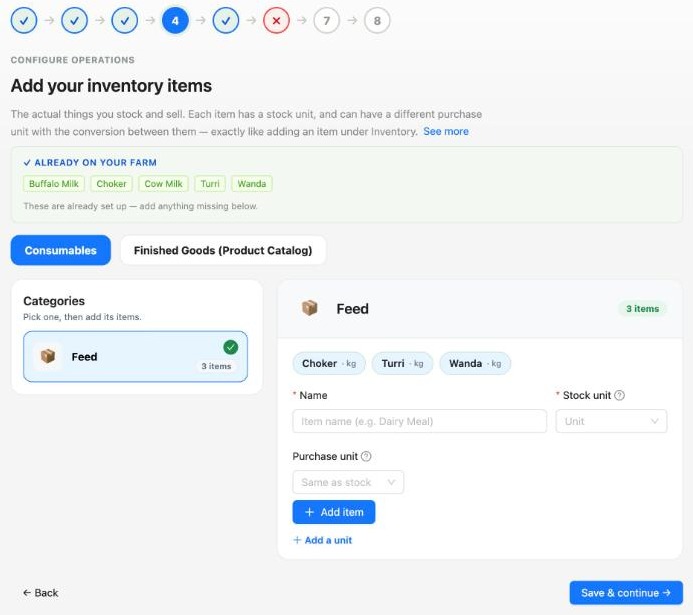
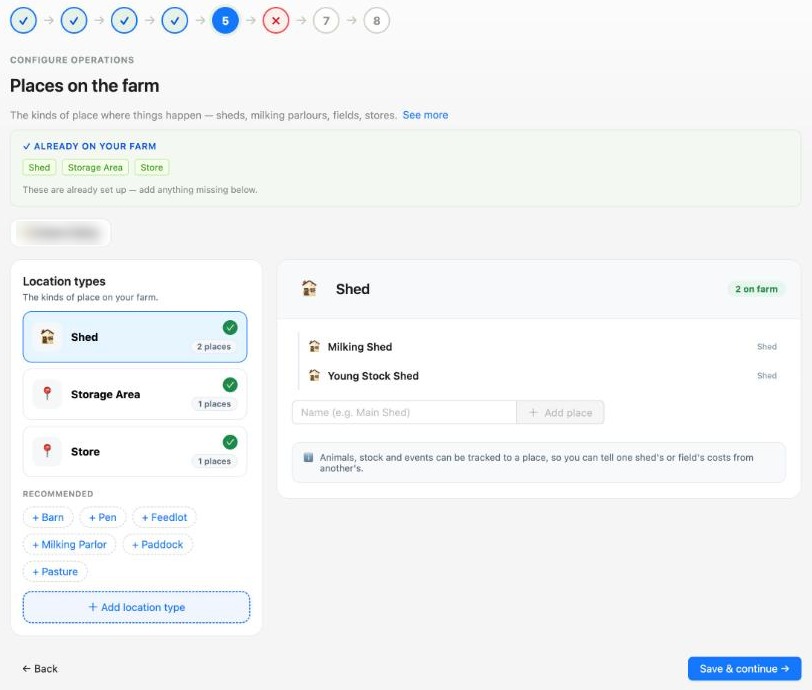
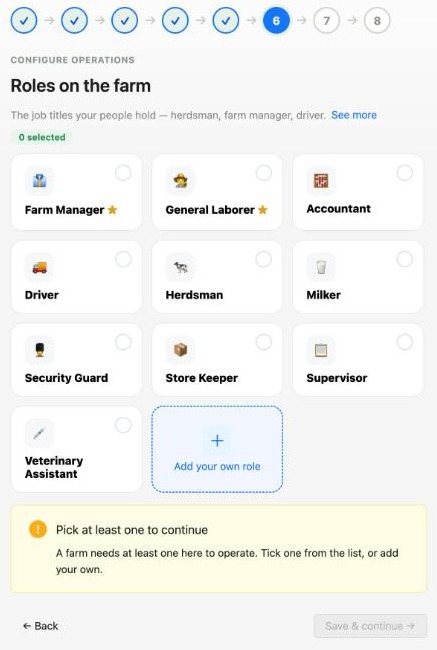
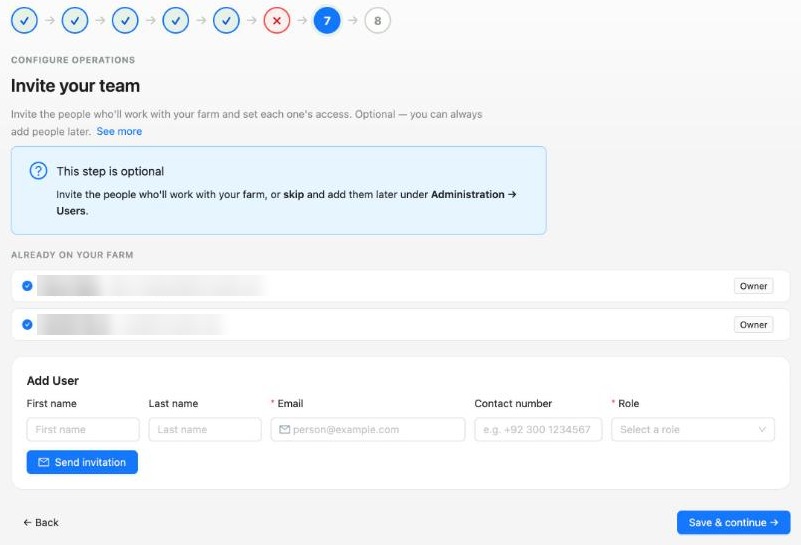
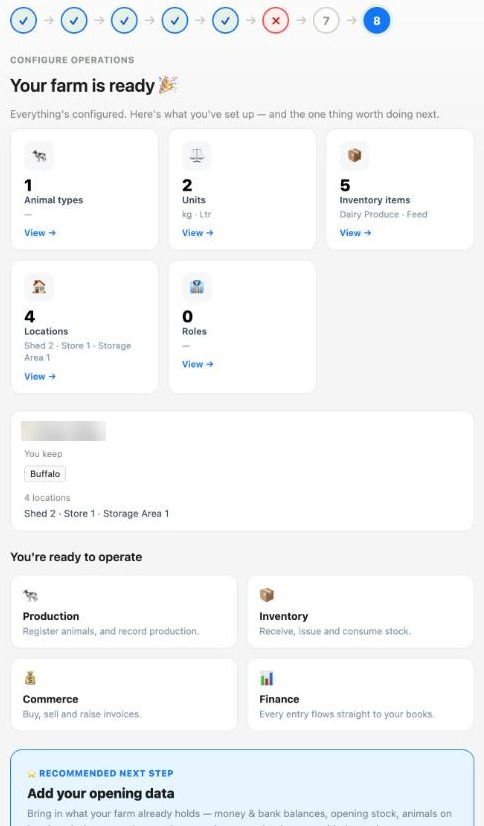
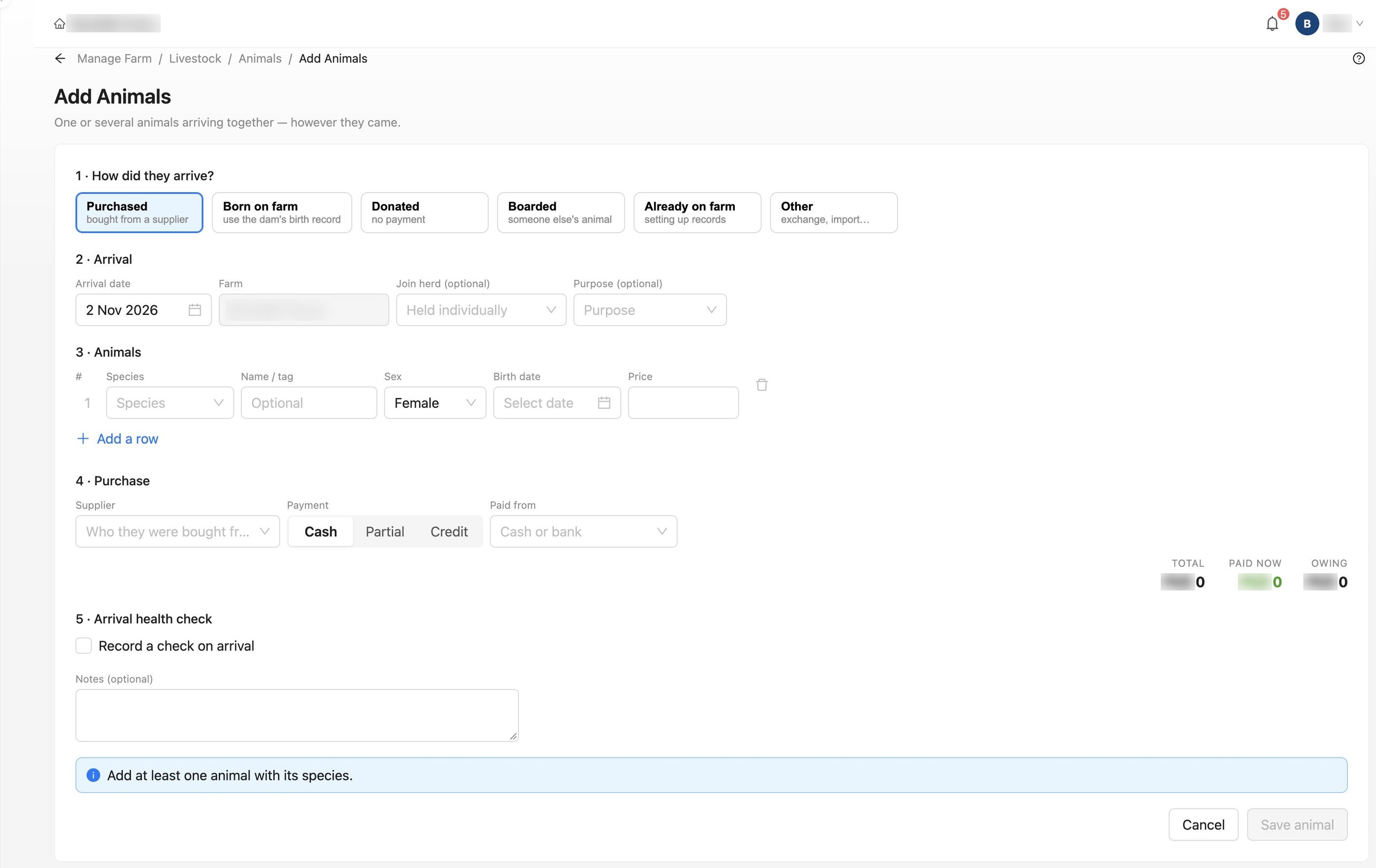
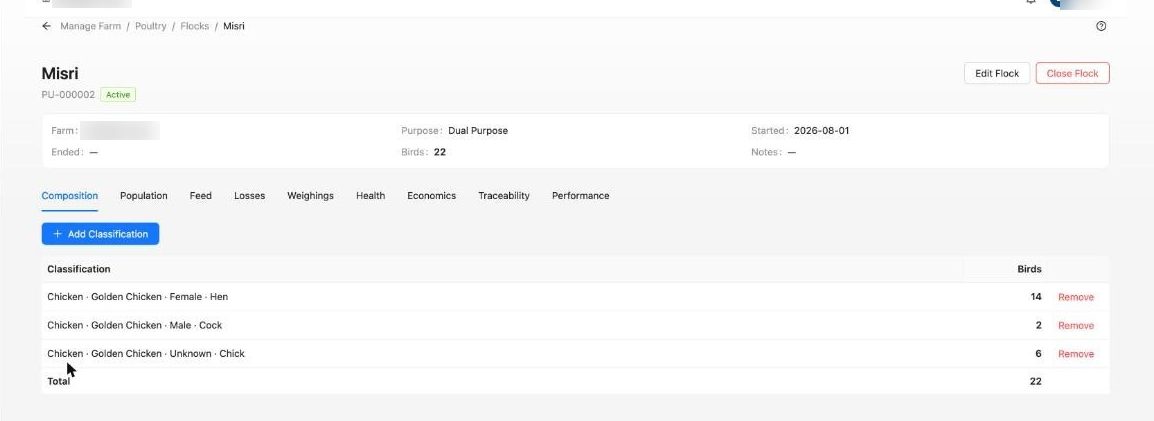
Real screens from eFarmWorks. Names of people and farms are blurred. Click a screen to enlarge it.
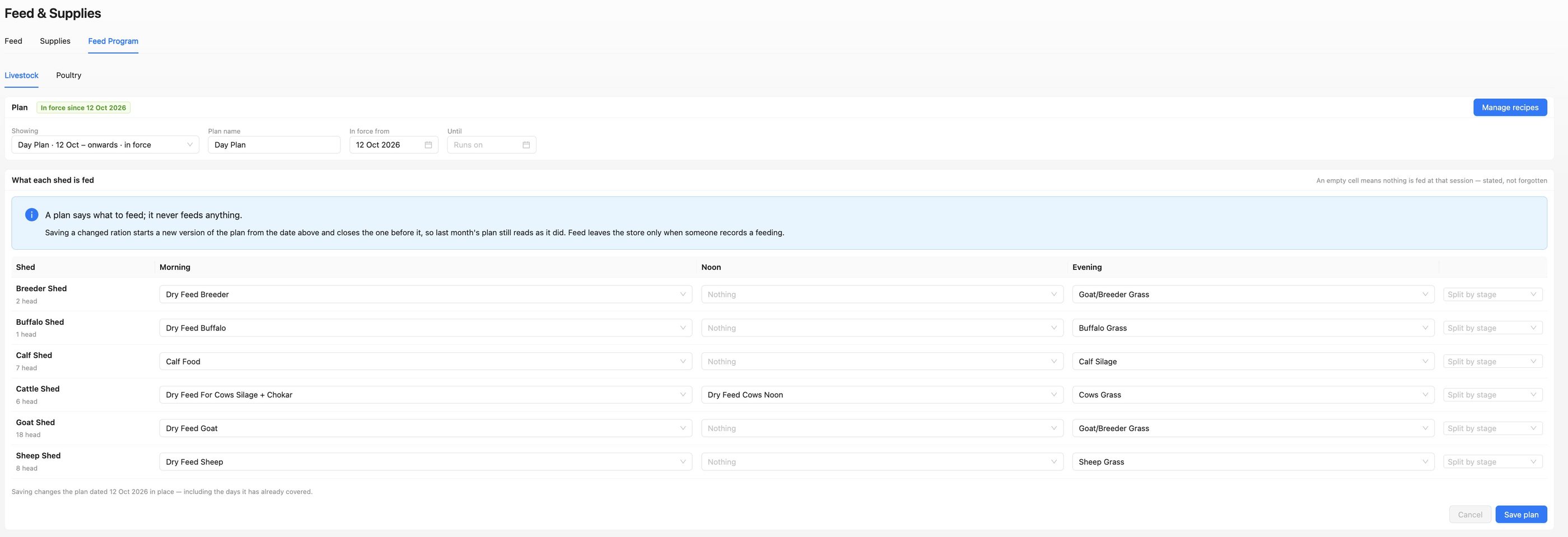
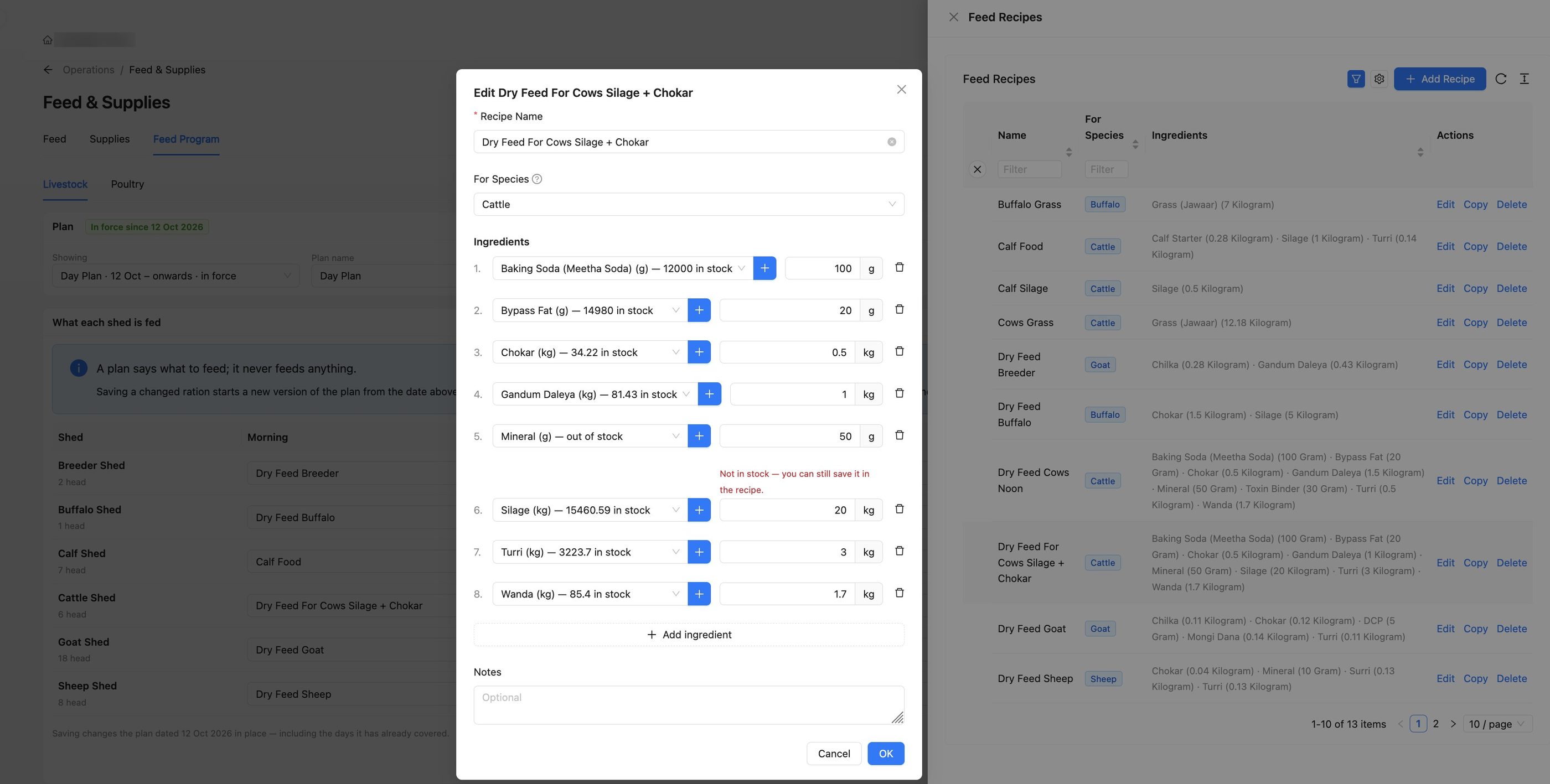
Set your feed plans and recipes.
Decide what each shed is fed at morning, noon and evening, and mix your own rations from the items in stock.
A working day, recorded as it happens.
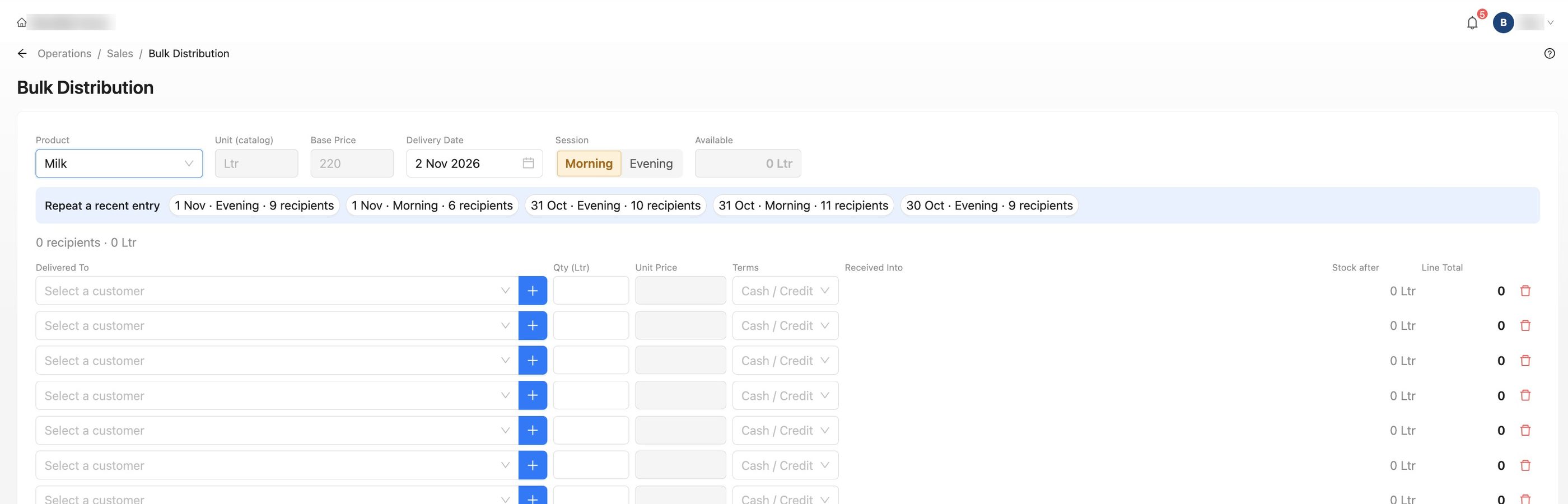
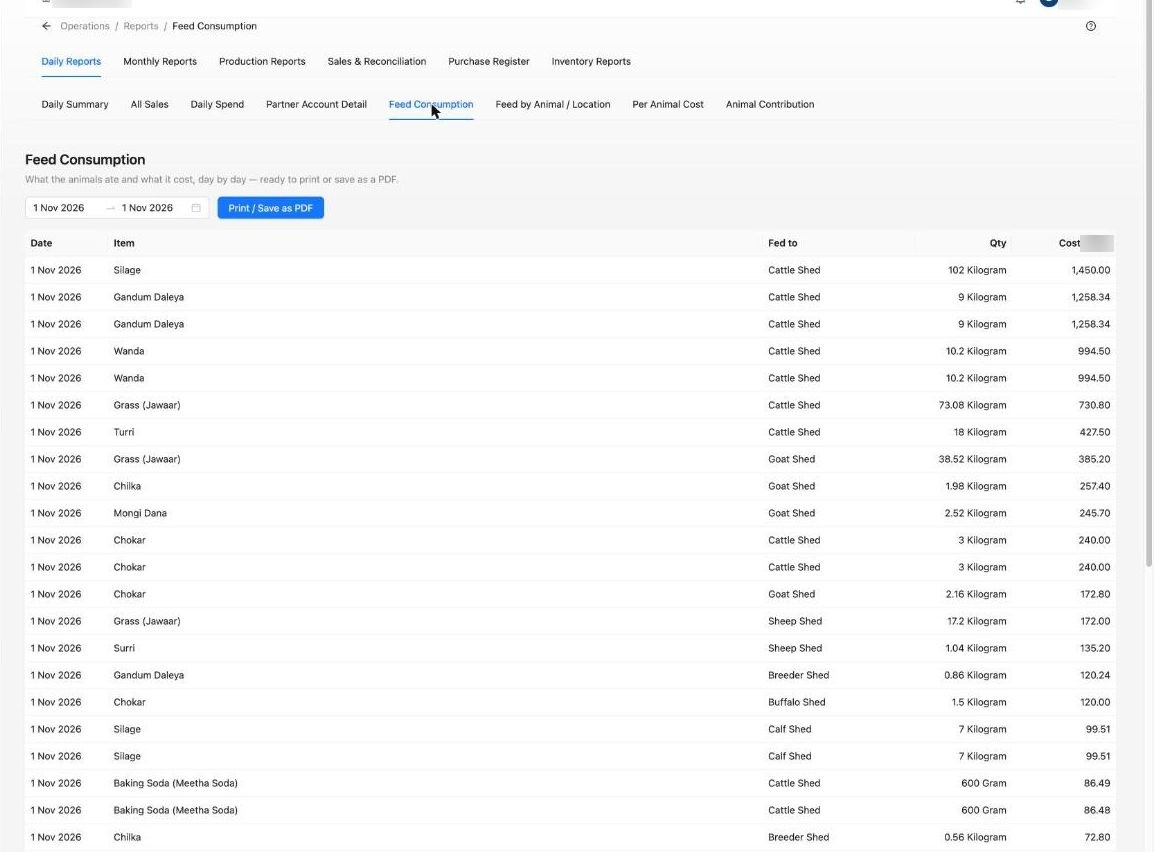
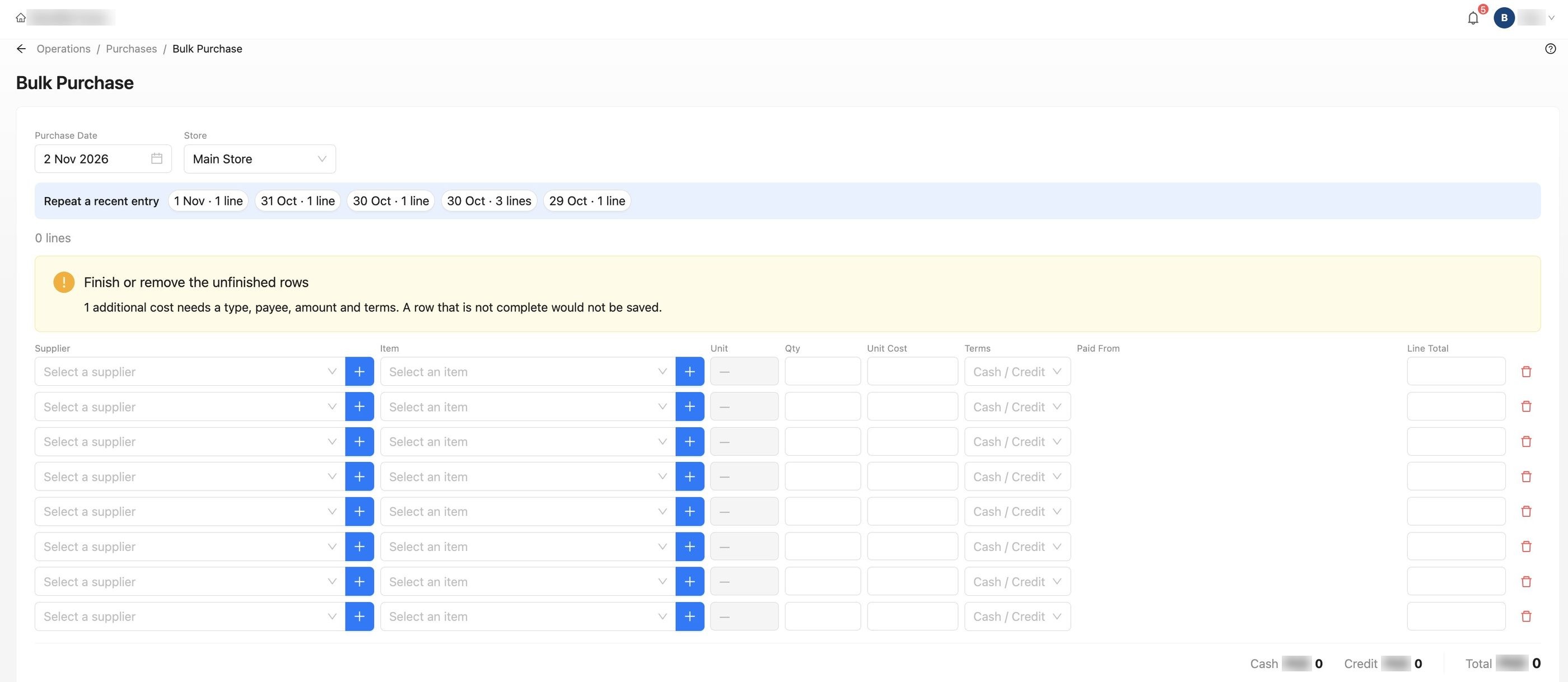
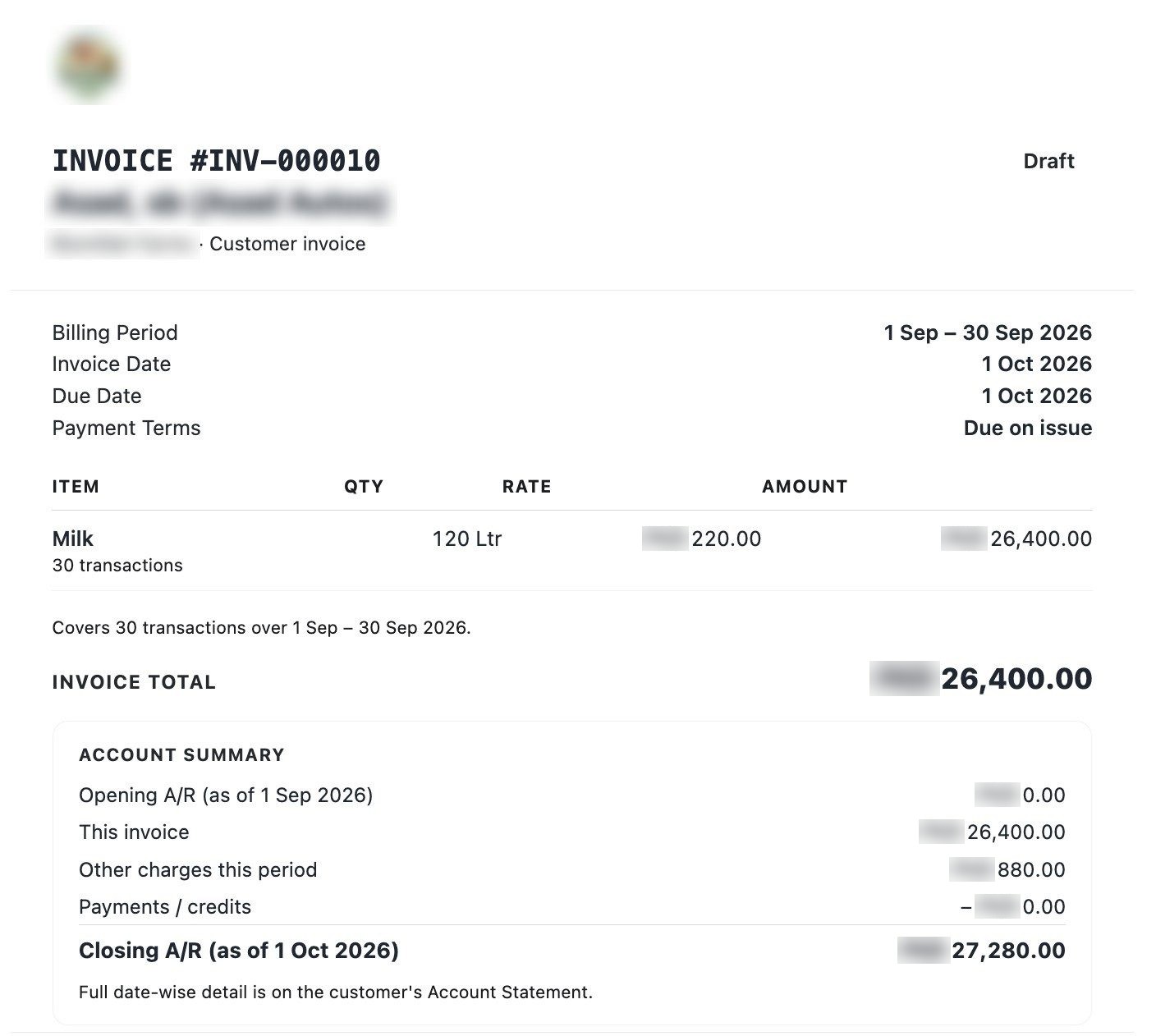
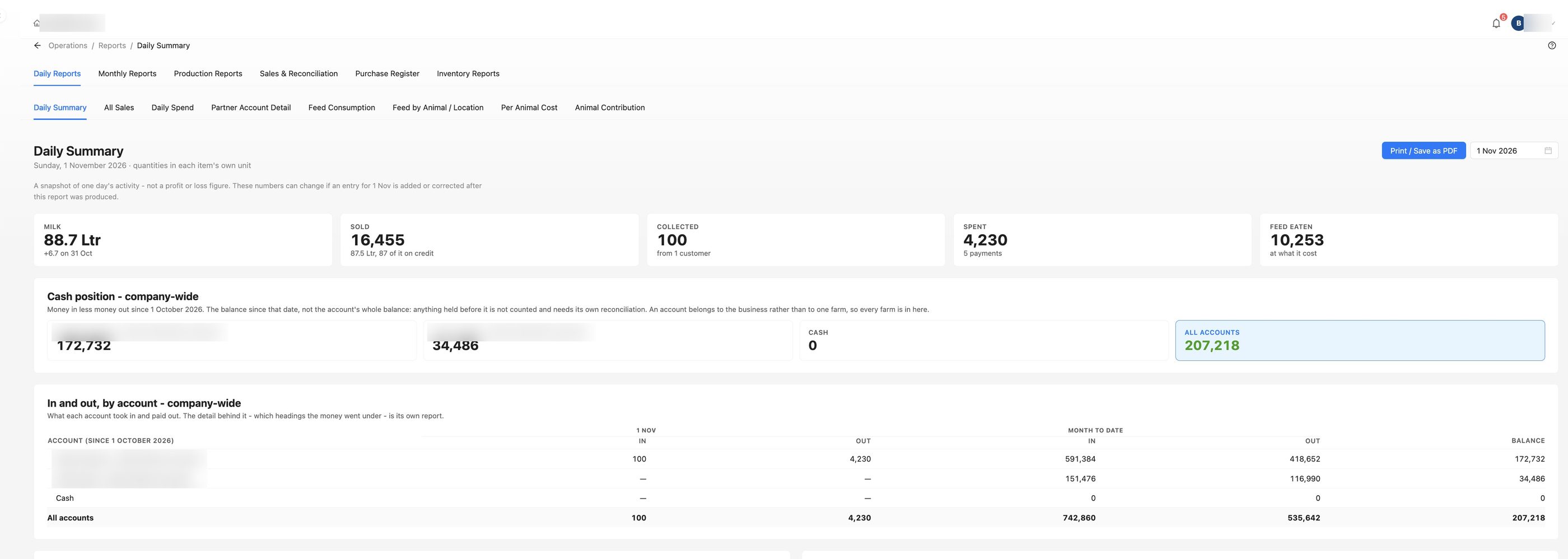
Real screens from eFarmWorks. Names of people and farms are blurred. Click a screen to enlarge it.
Prefer a live walkthrough? Pick a time.
Book 30 minutes or an hour with us. We'll walk you through eFarmWorks on a sample farm like yours and answer your questions.
- Monday to Friday, 2 pm to 6 pm Pakistan time
- Times are shown in your own time zone
- A calendar invite by email, and the meeting link before we start
Not ready to talk yet? Join early access
1. How long?
2. Pick a day
Loading available times…
3. Pick a time